discord接続

Discordのチャットを読み込んで、翻訳したり読み上げたりできます。読み上げた音声をDiscord音声チャンネルに返せば、翻訳した音声をつかった会話ができます。
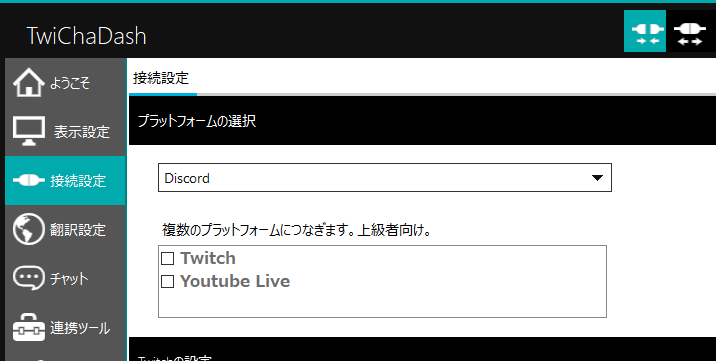
プラットフォームの選択でDiscordを選びます。
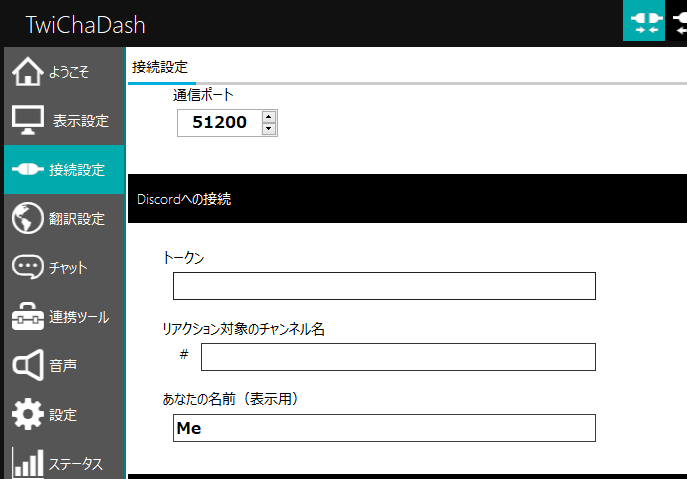
ここでいうトークンは、Discord開発者ポータルで登録をして取得します。
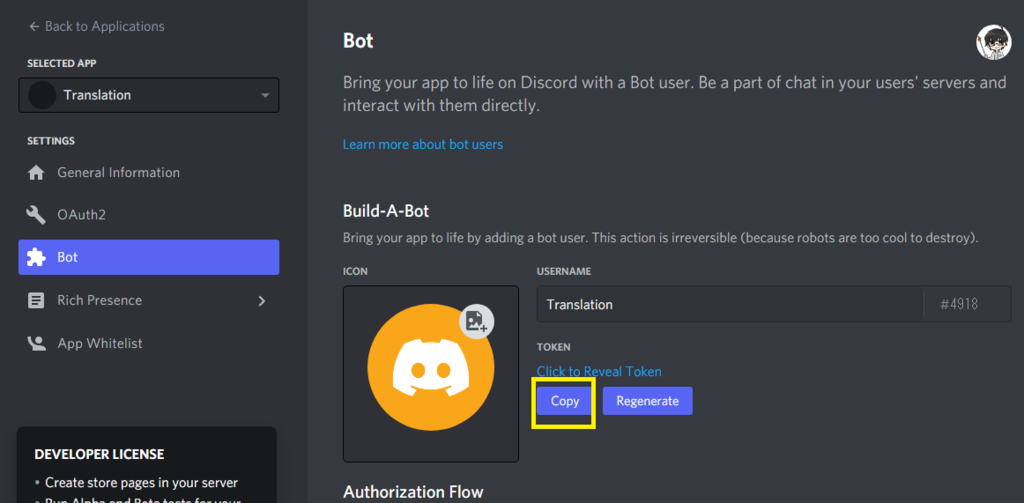
Botとして登録をして、トークンを張り付けて下さい。
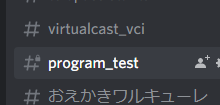
書き込みを読み込むチャンネルの名前も居れます。ここに、登録したBOTの書き込みアクセス権も設定しておきましょう。

設定が終わったら、右上で点滅している接続ボタンを押します。

This website stores cookies on your computer. These cookies are used to provide a more personalized experience and to track your whereabouts around our website in compliance with the European General Data Protection Regulation. If you decide to to opt-out of any future tracking, a cookie will be setup in your browser to remember this choice for one year.

Accept or Deny