バーチャルキャスト連携

できること

  • メタバースプラットフォーム「バーチャルキャスト」の中に字幕を持ち込むことができます。

設定

まずは、プラグインを有効化します。

次に、バーチャルキャストでアイテムが使えるよう、THE SEED ONLINEでプログラムをダウンロードしてください。

対応するVCIファイルはこれです。

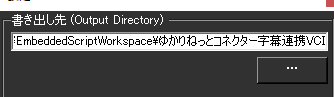
このファイルがある位置も設定します。

【標準の場所】
C:\Users\(ユーザ名)\AppData\Roaming..\LocalLow\infiniteloop Co,Ltd\VirtualCast\EmbeddedScriptWorkspace\ゆかりねっとコネクター字幕連携VCI
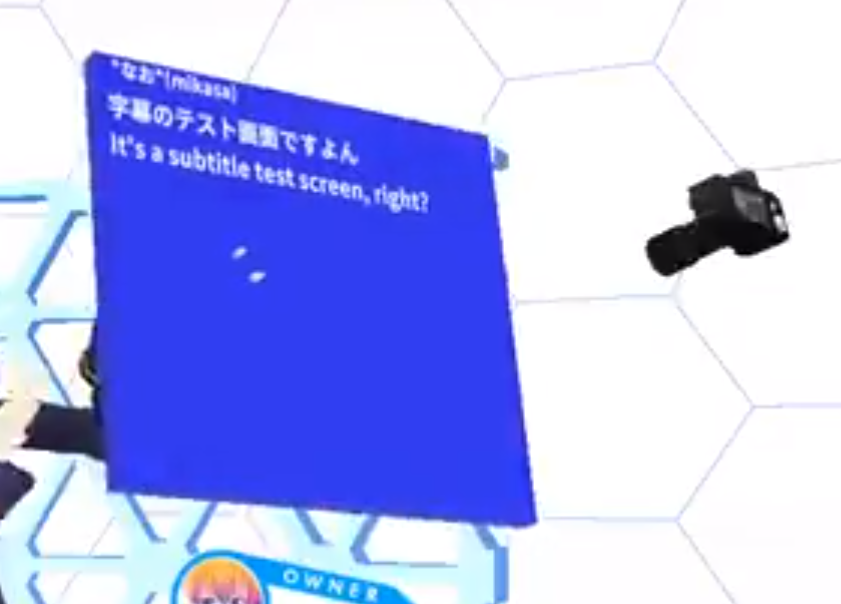
連携がうまくいくと、こんな感じで表示ができるようになります。
This website stores cookies on your computer. These cookies are used to provide a more personalized experience and to track your whereabouts around our website in compliance with the European General Data Protection Regulation. If you decide to to opt-out of any future tracking, a cookie will be setup in your browser to remember this choice for one year.

Accept or Deny